|
Ryle Radio 1.1.2
An open-source "radio" system for Unity, allowing tracks, tuning, broadcasters, and more!
|
|
Ryle Radio 1.1.2
An open-source "radio" system for Unity, allowing tracks, tuning, broadcasters, and more!
|
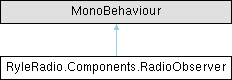
A component used to watch for specific happenings on a RadioOutput, e.g: a clip being a certain volume, a track starting, the tune being in a certain range
We don't inherit from RadioComponent here since we don't need to use a RadioData ref, but it's very similar.
More...
Classes | |
| class | ObserverEvent |
| A singular event inside a RadioObserver, tracking a value or trigger and invoking methods accordingly. More... | |
Public Types | |
| enum | EventType { OutputVolume , Gain , TunePower , BroadcastPower , Insulation , TrackEnds , TrackStarts , OutputTune , None } |
| The event an observer is looking for. More... | |
| enum | ComparisonType { Equal , GreaterThan , GreaterThanOrEqual , LessThan , LessThanOrEqual , BetweenInclusive , BetweenExclusive } |
| The method of comparisonType used for an event. For example, checking if the volume is greater than a number, or in a certain range. More... | |
Public Member Functions | |
| void | AssignEvents (RadioTrackPlayer _player) |
| Assigns each event to a RadioTrackPlayer for one of our AffectedTracks. This is called when a new RadioTrackPlayer is created that's playing a Track in AffectedTracks. | |
Properties | |
| string[] | AffectedTracks [get] |
| The tracks selected on this Observer. | |
Private Member Functions | |
| void | Awake () |
| Attaches the Observer to output. | |
| void | OnDestroy () |
| Detaches this Observer from output. | |
| void | Update () |
| Run the buffered events and reset for the next frame. | |
| void | ValueEvent (ObserverEvent _event, float _value) |
| A generic method letting an ObserverEvent tracking a value watch for its change. | |
| void | TriggerEvent (ObserverEvent _event) |
| A generic method tracking if an ObserverEvent's trigger has been called. E.g: a track has just started playing, call event. | |
Private Attributes | |
| RadioOutput | output |
| The RadioOutput this observer is attached to. | |
| int | affectedTracks |
| The tracks that this observer is watching for events on. This is a flag int and is translated to a list of names in AffectedTracks. | |
| List< ObserverEvent > | events |
| The events that this Observer responds uses, containing values/triggers to watch for and events to call. | |
| List< Action > | toDoOnUpdate = new() |
| A buffer for events to run on Update. We cannot call UnityEvents in the audio thread, so we need a buffer here so we can run them in Update instead. | |
| List< ObserverEvent > | stayedEvents = new() |
| A tracker for which ObserverEvents have been called for this specific frame- prevents us from calling an OnStay event hundreds of times in a frame due to the audio thread being WAY faster. | |
| string[] | affectedTrackNames |
| affectedTracks as a list of names rather than a flag int. Created and cached in AffectedTracks | |
A component used to watch for specific happenings on a RadioOutput, e.g: a clip being a certain volume, a track starting, the tune being in a certain range
We don't inherit from RadioComponent here since we don't need to use a RadioData ref, but it's very similar.
One major thing to notice about this class is that each individual Observer component has specific tracks it's watching for- NOT each individual ObserverEvent. This is due to limitations of MultiselectAttribute- it doesn't display in nested lists properly. This is theoretically something I can fix, but I'm not fantastic at custom editors so I'd prefer to accept this limitation for now. With that being said, this means it is a bit cleaner to navigate multiple Observers in the scene- not all bad!
Definition at line 9 of file ObserverEvent.cs.
The method of comparisonType used for an event. For example, checking if the volume is greater than a number, or in a certain range.
| Enumerator | |
|---|---|
| GreaterThan | The value is equal to a number. We're using floats for almost every EventType with a value, so this won't be used often |
| GreaterThanOrEqual | The value is greater than a number. |
| LessThan | The value is greater than or equal to a number. |
| LessThanOrEqual | The value is less than a number. |
| BetweenInclusive | The value is less than or equal to a number. |
| BetweenExclusive | The value is between numbers x and y, including if it's equal to x or y. |
Definition at line 45 of file RadioObserver.cs.
The event an observer is looking for.
Except for Trigger events, we need a value(s) to check for a change with. E.g: checking if volume is above a threshold. Trigger events wait for a certain thing to happen that doesn't need a value. E.g: checking if a track has just started playing
| Enumerator | |
|---|---|
| OutputVolume | The volume of the track: tune power * broadcast power * insulation. |
| Gain | The gain of the track: this is currently defined exclusively in the track's gain variable. |
| TunePower | The tune power of the track: how close the RadioOutput.Tune value is to the range of the track. |
| BroadcastPower | The broadcast power of the track: how close to any active RadioBroadcasters the output's transform is. |
| Insulation | The insulation of the track: the higher the value the less insulation- the power of any RadioInsulator the output is inside of. |
| TrackEnds | The track ends, or loops- this is a Trigger event. |
| TrackStarts | The track starts, or loops (happens after TrackEnds)- this is a Trigger event. |
| OutputTune | The tune on the RadioOutput is changed. |
| None | Empty, mainly to temporarily disable an event without deleting it. |
Definition at line 28 of file RadioObserver.cs.
| void RyleRadio.Components.RadioObserver.AssignEvents | ( | RadioTrackPlayer | _player | ) |
Assigns each event to a RadioTrackPlayer for one of our AffectedTracks. This is called when a new RadioTrackPlayer is created that's playing a Track in AffectedTracks.
| _player | A RadioTrackPlayer playing one of our AffectedTracks |
Definition at line 166 of file RadioObserver.cs.
Referenced by RyleRadio.Components.RadioOutput.PlayerCreation().
|
private |
Attaches the Observer to output.
Definition at line 119 of file RadioObserver.cs.
|
private |
Detaches this Observer from output.
Definition at line 128 of file RadioObserver.cs.
|
private |
A generic method tracking if an ObserverEvent's trigger has been called. E.g: a track has just started playing, call event.
See also: ValueEvent()
| _event | Contains the trigger we're watching for, and the event to call when it's triggered |
Definition at line 294 of file RadioObserver.cs.
Referenced by AssignEvents().
|
private |
Run the buffered events and reset for the next frame.
Definition at line 136 of file RadioObserver.cs.
|
private |
A generic method letting an ObserverEvent tracking a value watch for its change.
This is what's called every time a Track's observed value is changed. If the new value fulfills the given ObserverEvent, it'll be called. E.g: volume is in given range- call event
See also: TriggerEvent()
| _event | Contains the change we're watching for, and the event to call when the change happens |
| _value | The observed value right now |
Definition at line 235 of file RadioObserver.cs.
Referenced by AssignEvents().
|
private |
affectedTracks as a list of names rather than a flag int. Created and cached in AffectedTracks
Definition at line 97 of file RadioObserver.cs.
|
private |
The tracks that this observer is watching for events on. This is a flag int and is translated to a list of names in AffectedTracks.
Definition at line 65 of file RadioObserver.cs.
|
private |
The events that this Observer responds uses, containing values/triggers to watch for and events to call.
Definition at line 70 of file RadioObserver.cs.
Referenced by AssignEvents().
|
private |
The RadioOutput this observer is attached to.
Definition at line 59 of file RadioObserver.cs.
Referenced by Awake(), and OnDestroy().
|
private |
A tracker for which ObserverEvents have been called for this specific frame- prevents us from calling an OnStay event hundreds of times in a frame due to the audio thread being WAY faster.
See also: toDoOnUpdate
Definition at line 86 of file RadioObserver.cs.
Referenced by AssignEvents(), and Update().
|
private |
A buffer for events to run on Update. We cannot call UnityEvents in the audio thread, so we need a buffer here so we can run them in Update instead.
See also: stayedEvents
Definition at line 79 of file RadioObserver.cs.
Referenced by TriggerEvent(), Update(), and ValueEvent().
|
get |
The tracks selected on this Observer.
This is an accessor for affectedTrackNames and affectedTracks - uses MultiselectAttribute.To to automatically convert the flag int to a string array
Definition at line 104 of file RadioObserver.cs.
Referenced by RyleRadio.Components.RadioOutput.PlayerCreation().
 1.14.0